


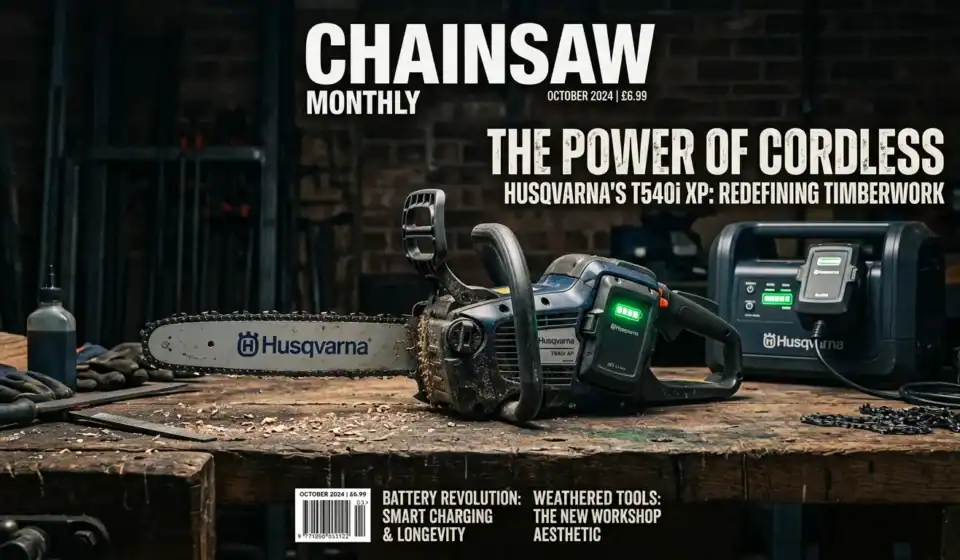

You’ve embraced the freedom of a cordless chainsaw – no more fumbling with gas, no annoying pull cords, and the blissful quiet (relatively speaking) of electric power. It’s a game-changer for homeowners and landowners alike. But here’s the kicker: your chainsaw is only as good as its battery, and your battery is only as good as its charger. Honestly, the charger often gets overlooked, yet it’s the unsung hero determining your saw’s runtime and the lifespan of your valuable battery packs.
Table Of Content
- The Core of Cordless Power: Your Battery’s Foundation
- Why Matching Charger to Battery is Non-Negotiable
- Demystifying Cordless Chainsaw Chargers: Types and What They Offer
- Standard Chargers: The Steady Workhorse
- Fast Chargers: When Time is Money (or Sunlight)
- Multi-Bay and Simultaneous Chargers: The Professional’s Choice
- Smart Chargers: The Future of Battery Care
- Expert Tips for Smart Charging and Battery Longevity
- The 20-80 Rule and Avoiding Deep Discharges
- Temperature Matters: Charge Cool, Store Smart
- Use the Manufacturer’s Charger and Keep it Clean
- Periodic Full Cycles and Avoiding Overcharging
- Troubleshooting Common Charger & Battery Woes
- My Battery Isn’t Charging!
- Charging is Slow, or Battery Doesn’t Hold Charge Long
- Overheating During Charging
- When to Replace Your Charger or Battery
- Embrace Smart Power Management for Uninterrupted Cutting
Think about it: a top-tier cordless saw with a dead battery is just an expensive paperweight. Understanding the different types of chargers, their speeds, and how to use them smartly isn’t just about convenience; it’s about maximizing your investment and keeping your cutting projects on track. As an experienced outdoor power equipment specialist, I’ve seen firsthand how proper charging habits can dramatically extend battery life and prevent frustrating downtime. Let’s dive deep into the world of cordless chainsaw chargers so you can get the most out of your equipment.
The Core of Cordless Power: Your Battery’s Foundation
Before we dissect chargers, let’s briefly touch upon the power source they serve: your cordless chainsaw’s battery. Most modern cordless chainsaws, especially those with serious cutting power, run on Lithium-ion (Li-ion) batteries. These batteries are fantastic – they offer high energy density, don’t suffer from the dreaded “memory effect” like older battery types, and hold a charge well when not in use.
When you look at a battery, you’ll see two key numbers: voltage (V) and amp-hours (Ah). Voltage, like 40V, 60V, or 80V, indicates the power and torque your saw can deliver; higher voltage generally means more grunt for tougher cuts. Amp-hours, on the other hand, tells you about the battery’s capacity – essentially, how long it can run before needing a recharge. A 4.0Ah battery will typically offer twice the runtime of a 2.0Ah battery at the same voltage. Understanding these numbers is crucial because they directly impact how long your battery will take to charge and how efficiently your charger needs to perform.
Why Matching Charger to Battery is Non-Negotiable
It might seem obvious, but using the correct charger for your specific battery is paramount. Every manufacturer designs their batteries and chargers to work in harmony, with built-in safety features and charging protocols tailored to that particular power pack. Using an off-brand or incompatible charger can lead to inefficient charging, overheating, reduced battery life, or even dangerous failures. Always stick to the charger recommended by your chainsaw’s manufacturer.
Demystifying Cordless Chainsaw Chargers: Types and What They Offer
Not all chargers are created equal. They vary significantly in speed, features, and overall sophistication. Knowing the differences will help you choose the right tools for your specific needs, whether you’re a casual user or tackling serious property maintenance.
Standard Chargers: The Steady Workhorse
These are the chargers often included in basic cordless chainsaw kits. They typically have a lower amperage output, meaning they charge batteries more slowly. While they might take a few hours to fully replenish a larger battery pack, they are generally gentle on the battery, producing less heat during the charging cycle. For homeowners who use their chainsaw occasionally for light pruning or firewood, a standard charger might be perfectly adequate, allowing you to charge overnight or between infrequent tasks.
Fast Chargers: When Time is Money (or Sunlight)
If you’re tackling bigger projects or need your saw running consistently, a fast charger is a game-changer. These chargers boast a higher amperage output, significantly reducing charging times. For example, while a standard charger might take 3-4 hours to charge a 5.0Ah 60V battery, a fast charger could do it in an hour or less. Imagine you’re clearing storm damage, and one battery dies – you pop it on the fast charger, grab a second battery, and by the time that one’s depleted, the first is often ready to go again. Models like the EGO CH5500 (for their 56V system) or the DeWalt DCB118 (for their 20V/60V FLEXVOLT series) are prime examples of high-performance fast chargers. Based on my experience, for anyone doing more than occasional light work, a fast charger is a non-negotiable upgrade.
Multi-Bay and Simultaneous Chargers: The Professional’s Choice
For landowners, arborists, or anyone managing a fleet of cordless tools, multi-bay or simultaneous chargers are incredibly efficient. These units can charge two or more batteries at once, either sequentially (one after another) or simultaneously. This eliminates the need for multiple single chargers and ensures you always have charged batteries ready to go. Makita’s DC18RD dual port rapid charger is a great example, capable of charging two 18V LXT batteries at once, which is incredibly useful when running multiple tools or needing quick turnarounds on demanding jobs.
Smart Chargers: The Future of Battery Care
The most advanced chargers are “smart” or “intelligent” chargers. These go beyond just delivering power; they communicate with the battery, monitoring its charge level, temperature, and overall health. A smart charger will often:
- Adjust the charging rate based on battery condition.
- Prevent overcharging by switching to a trickle charge when full.
- Provide diagnostic feedback (e.g., indicating a faulty battery).
- Optimize for longer battery lifespan by not always charging to 100% unless needed.
These features help extend the overall life of your expensive battery packs, making them a worthwhile investment in the long run.
Expert Tips for Smart Charging and Battery Longevity
Now that we understand the types, let’s talk about getting the most out of your batteries and chargers. Proper charging isn’t just about plugging it in; it’s about strategic care that pays dividends in performance and longevity.
The 20-80 Rule and Avoiding Deep Discharges
For Li-ion batteries, constantly charging to 100% and discharging to 0% can stress the cells over time. Many experts, myself included, recommend the “20-80 Rule”: try to keep your battery charge between 20% and 80% for daily use. Of course, sometimes you need full power, but for routine tasks, this habit can significantly extend battery cycles. More critically, avoid letting your battery sit completely discharged for extended periods. This can cause irreversible damage and prevent it from ever taking a full charge again.
Temperature Matters: Charge Cool, Store Smart
Extreme temperatures are the enemy of Li-ion batteries. Always charge your batteries in a moderate environment, typically between 40°F (4°C) and 100°F (38°C). Charging in very hot or very cold conditions can strain the battery and reduce its capacity. When storing batteries long-term, aim for a cool, dry place – ideally with a charge level around 50-60%. For example, imagine this situation: you finish a long day of cutting wood in the summer heat. Don’t immediately put your hot battery on the charger; let it cool down first to room temperature. This simple step can prevent premature wear.
Use the Manufacturer’s Charger and Keep it Clean
We touched on this, but it bears repeating: always use the charger designed for your battery. The communication between the two is vital for safe and efficient charging. Also, periodically inspect the charging contacts on both the battery and the charger. Dust, debris, or corrosion can impede the connection and lead to inefficient charging or even arcing. A quick wipe with a dry cloth can save you headaches.
Periodic Full Cycles and Avoiding Overcharging
While the 20-80 rule is good for daily practice, a full discharge and recharge cycle every few months can help calibrate the battery’s internal management system, ensuring it accurately reports its charge level. Modern smart chargers are designed to prevent overcharging by stopping the current or switching to a trickle charge once the battery is full. However, it’s still good practice to remove batteries from the charger once they are fully charged, especially if you’re not using a smart charger.
Troubleshooting Common Charger & Battery Woes
Even with the best care, sometimes things go wrong. Knowing how to diagnose common issues can save you time and frustration.
My Battery Isn’t Charging!
This is probably the most common complaint. First, check the obvious: Is the charger plugged securely into a working outlet? Is the battery fully seated in the charger? Check the indicator lights on the charger; they often tell you if there’s a problem (e.g., blinking red for an error, solid green for charged). If the charger has a fan, listen for it – a lack of fan noise might indicate a power issue. Sometimes, simply trying a different outlet can resolve the problem.
Charging is Slow, or Battery Doesn’t Hold Charge Long
If charging seems unusually slow, or your battery runs out quickly after a full charge, it could be a few things. The ambient temperature might be too hot or cold for efficient charging. More often, it’s a sign that the battery itself is nearing the end of its lifespan. Li-ion batteries have a finite number of charge cycles, and over time, their capacity will naturally diminish. If the charger indicates a full charge, but the saw runs for only a fraction of its normal time, it’s likely time for a new battery. What would you do in this situation if you’re halfway through a big job?
Overheating During Charging
A little warmth during charging is normal, especially with fast chargers. However, if the battery or charger becomes excessively hot to the touch, disconnect it immediately. This could indicate a fault with the battery, the charger, or an internal short circuit. Continuing to charge an overheating battery is a safety hazard and can lead to permanent damage or fire. Let everything cool down, inspect for visible damage, and if the issue persists, consider replacing the component.
When to Replace Your Charger or Battery
Ultimately, all electronics have a lifespan. If your charger consistently gives error codes, doesn’t light up, or visibly damages batteries, it’s time for a replacement. Batteries, too, will eventually wear out. Signs include significantly reduced runtime, inability to hold a charge, or swelling of the battery pack (a serious safety concern – discontinue use immediately). Investing in a new, high-quality battery and a smart or fast charger will ensure your cordless chainsaw remains a reliable and powerful tool for years to come.
Embrace Smart Power Management for Uninterrupted Cutting
The cordless chainsaw revolution has brought incredible convenience and performance to our fingertips. But to truly harness that power, we need to understand and respect the charging ecosystem. From choosing the right charger for your workflow to adopting smart charging habits, every step you take contributes to the longevity and efficiency of your valuable equipment. By paying attention to these details, you’re not just charging a battery; you’re safeguarding your investment and ensuring countless hours of productive, hassle-free cutting. So, go forth, charge smart, and keep those chips flying!